 Monitorture
Monitor curvature explained: what 1000R, 1800R & 2300R mean
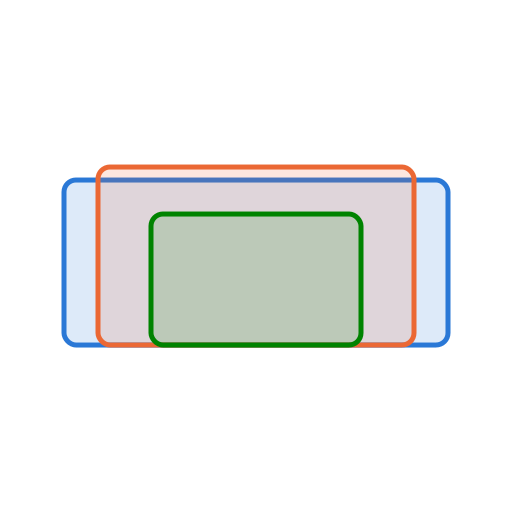
A curved monitor's spec always ends in an R — 1000R, 1800R, 2300R. That number is the radius of curvature in millimetres: imagine the screen is one arc cut from a giant circle, and the R value is that circle's radius. A smaller R is a tighter curve (1000R bends far more than 3800R). Below is the same 34″ ultrawide from above, flat and at each common radius, drawn to scale.
| Curvature | Curve depth | Screen wrap | Ideal distance | Character |
|---|---|---|---|---|
| Flat | — | — | — | Straight lines stay straight — best for CAD, layout & print |
| 4200R | 19 mm | 11° | 4.20 m | Very gentle — negligible bow; fine for detailed document work |
| 3800R | 21 mm | 12° | 3.80 m | Very gentle — negligible bow; fine for detailed document work |
| 2500R | 32 mm | 18° | 2.50 m | Very gentle — negligible bow; fine for detailed document work |
| 2300R | 34 mm | 20° | 2.30 m | Very gentle — negligible bow; fine for detailed document work |
| 1900R | 42 mm | 24° | 1.90 m | Moderate — immersive, with a slight bow on long straight edges |
| 1800R | 44 mm | 25° | 1.80 m | Moderate — immersive, with a slight bow on long straight edges |
| 1700R | 46 mm | 27° | 1.70 m | Moderate — immersive, with a slight bow on long straight edges |
| 1500R | 53 mm | 30° | 1.50 m | Moderate — immersive, with a slight bow on long straight edges |
| 1000R | 78 mm | 46° | 1.00 m | Aggressive — strong wrap; straight lines visibly bow |
| 800R | 97 mm | 57° | 0.80 m | Very aggressive — maximum immersion; not for precision layout |
The radius is your ideal viewing distance
The neat trick of the R value: sit about R millimetres away and every point of the screen is the same distance from your eyes. At 1000R that's ~1.0 m; at 1800R ~1.8 m; at 2300R ~2.3 m. Since most people sit ~0.6–0.8 m from a desk monitor, the tighter curves (1000R–1500R) actually match desk ergonomics best, while gentle curves (1800R and up) have a sweet spot further back than you really sit — so at the desk their curve is subtle.
Curvature and straight-line work
Your eyes take in roughly ±15° left and right comfortably without moving your head, and up to about ±30° with eye movement. On a flat ultrawide the far edges fall outside that cone and face away from you, so they look smaller and, on VA/IPS panels, dimmer. A curve rotates those edges back toward you and keeps them square-on — that's the win for immersion.
The cost is that a curve makes every horizontal line bow. For film, games and a wraparound feel that's a fair trade. For work built on straight edges and exact geometry — CAD, drafting, spreadsheets, documents, photo and page layout — a bowed horizon fights what you're doing, and the tighter the curve the more it shows. If that's your main use, lean flat or very gentle (2300R+); if it's media and gaming, a tighter radius pays off. And whichever you choose, sitting near its ideal distance is what makes the curve disappear into a natural, equidistant view.